Top Label Printing Machines for Small Businesses
A small business may need only a few product labels today, then hundreds before a weekend market. The right Label Printing Machine can make that change easier, but the best choice depends on what you print and how often. A home-based soap maker, a coffee roaster, and an online shop may need different label sizes, materials, and workflows. One machine rarely fits every situation.
This guide compares options for small business use, including desktop and portable models. It looks at print quality, speed, supported label widths, connectivity, setup, and ongoing supply costs. It also considers whether a printer handles product labels, barcodes, shipping labels, or several types. Small details matter: a roll that fits the machine, a clear setup guide, and labels that stay legible on jars or packages. Check the manufacturer’s specifications before buying, since features and compatibility can vary by model.
There are trade-offs. A lower purchase price may mean fewer connection options or a narrower range of supported media. A faster printer may be unnecessary for a shop that prints labels only once a week. Real needs are not always obvious at first, and estimates can be wrong. That is worth admitting. The sections ahead will help readers compare practical choices, spot common limitations, and select a machine that suits their budget, workspace, and expected workload without paying for features they may never use.
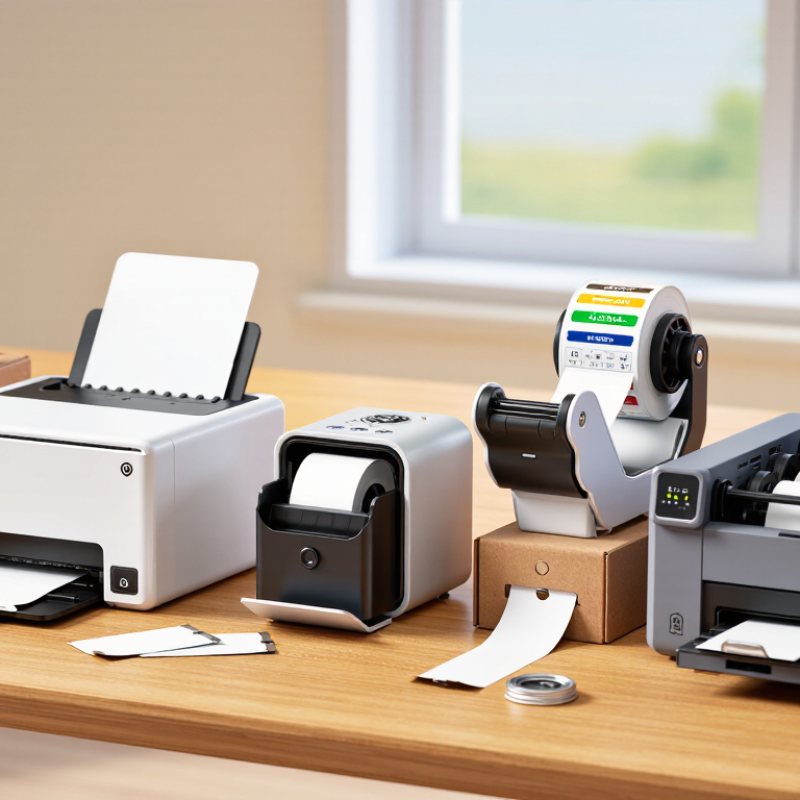
How Label Printing Machines Support Small Businesses
Top Label Printing Machines for Small Businesses
A label printer can help a small business keep orders moving without outsourcing every short print run. Staff can print product names, prices, batch details, or shipping labels as needed. No waiting for a large delivery of preprinted stock.
For a shop packing candles or jars, a clear label makes product details easier to read and shelves easier to organize. A machine that handles the label sizes and materials used every day can reduce trimming, reprints, and wasted rolls. Print quality matters, but so do setup time and simple controls. During a busy afternoon, a confusing menu quickly becomes a real problem.
Before choosing equipment, estimate daily label volume and check whether the printer works with existing sales or inventory software. Consider the cost of compatible labels and how easily rolls can be replaced. A thermal model may suit shipping labels, while product labels with color may need a different setup. The cheapest option is not always the least expensive to run.
Small details count. A test print can reveal faint text or a barcode that scans poorly before a full batch is made. Still, no machine fixes inaccurate product data. That part is easy to overlook, especially when several people update the same label template.
Main Types of Label Printing Machines
Main Types of Label Printing Machines
Small businesses usually choose among direct thermal, thermal transfer, inkjet, and laser label printers. Direct thermal models use heat-sensitive label stock, so they need no ink or ribbon. They suit shipping labels and short-term product tags, but sunlight and heat can fade the print. Thermal transfer machines use a ribbon to create more durable labels for storage bins, ingredients, or outdoor packaging. The extra supply adds cost, but often improves resistance to smudging. Inkjet printers produce detailed, colorful labels for jars and retail packaging. Color matters. They may need compatible label sheets and can be slower for large batches. Laser printers handle crisp text quickly, especially when a business already prints documents, though specialty label stock is essential to avoid jams.
Tips: Match the printer to the label’s lifespan, surface, and daily volume. Check the maximum label width and test a sample on the actual package. A label that looks fine on paper may wrinkle on a curved bottle. No perfect choice. I’ve seen small teams focus on purchase price and overlook replacement rolls, setup time, or changing label sizes. Those details can matter more than expected, so estimate ongoing costs before choosing.
Key Features to Compare in Small-Business Label Printers
Small-business label printers should be compared by workload, label stock, and running cost—not headline speed alone.
The 2024 Parcel Shipping Index estimated 21.5 billion U.S. parcels in 2023, making dependable shipping labels important for many sellers. For occasional batches, direct-thermal printing avoids ink or toner. But labels can fade with heat and sunlight. Thermal-transfer models use ribbons, adding a consumable while supporting more durable labels. Check the printer’s maximum label width against your shipping, shelf, or barcode needs. Measure the actual rolls, too. A narrow gap between the roll guides can turn a simple refill into daily frustration.
Resolution and connection options matter.
Around 203 dpi is often adequate for ordinary shipping labels; smaller barcodes may benefit from 300 dpi. Test a sample before buying. Look for USB, Wi-Fi, or network support that fits your counter setup, plus software that works with your order system. Compare print speed with the time spent loading labels and clearing jams. That detail is easy to overlook. Also calculate the cost per label, including rolls, ribbons, and wasted prints. A fast machine is not automatically economical. Specifications can be neat; real workflows are messier. Try a full batch on your usual label stock before settling on a model.
Notable Label Printers for Different Business Needs
Small businesses need different label printers for different jobs. A direct-thermal desktop printer suits shipping labels and daily order batches; it needs no ribbon, but its labels can fade with heat and sunlight. For product labels exposed to moisture or handling, thermal-transfer models use a ribbon and typically offer more durable output. Short-run color packaging may call for an inkjet label printer, though ink and media costs can rise quickly. Grand View Research estimated the global digital-printing market at USD 35.0 billion in 2023 and projected 6.7% annual growth from 2024 to 2030. That report covers digital printing broadly, not label machines alone; it signals wider adoption, not a guarantee of savings for every shop.
Match the printer to the actual workflow. A home-based seller printing a few dozen parcels may value a compact unit and simple roll loading. A food maker changing designs often may need color capability and easy media swaps. Check label width, print resolution, connection options, and the cost per usable label before buying. One detail is easy to overlook: glossy stock can need compatible ink or ribbon. Test the real label material before committing. A sample may look fine on screen and still smudge.
Tips: Print a small batch first. Scan barcodes from several labels, then test adhesion on the package surface. Keep spare rolls nearby; downtime over one missing roll is frustrating.
How to Choose and Set Up a Label Printing Machine
Top Label Printing Machines for Small Businesses
Choosing a label printer starts with the labels you actually use. Measure their width and note whether they are paper, plastic, or another material. Check the printer’s maximum print width and resolution against those needs. For short-lived shipping labels, direct thermal printing may be sufficient. Labels exposed to heat, sunlight, or frequent handling may need thermal-transfer printing and a compatible ribbon. It is tempting to buy the fastest model, but speed matters little if the machine cannot feed your chosen stock reliably.
Check how the printer connects to your existing computer or point-of-sale system. Confirm that its software supports your label dimensions and can import the information you print. Before ordering, ask the supplier for the manual and a sample label specification. Small details matter. A roll with the wrong core size or label gap can cause repeated feed errors.
Set the machine on a stable, clean surface near its connection and power source. Load the roll according to the feed diagram, then calibrate the sensor so it detects each label correctly. Print a test label and inspect its alignment, barcode clarity, and cut or tear position. If the print shifts, recheck the roll guides before changing software settings. Keep a spare roll nearby, but store it away from dust and direct sunlight. Setup can feel fiddly. A brief test run with the labels and settings you will use each day often reveals problems before a busy packing shift.