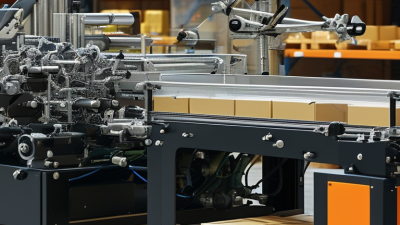
A Label Printing Machine is more than a device that puts ink on adhesive material. It combines feeding, imaging, drying, cutting, and quality control. In a busy packaging room, it may process rolls of paper, film, or thermal stock at high speed. The result is a readable label with consistent color, spacing, and adhesive performance.
Market evidence shows why this equipment matters. Smithers’ report, The Future of Digital Print for Packaging to 2028, identifies labels as a major application for digital packaging growth. FINAT’s European Label Market reports also track continuing demand for shorter runs, faster delivery, and versioned labels. These trends favor machines that reduce setup waste and support quick artwork changes. However, growth is not automatic. Substrate compatibility, operator skill, maintenance, and ink costs can change the real return on investment.
Industry consultant David Zwang has said, “The best press is the one that fits the job, not the one with the longest feature list.” That practical view deserves attention. A compact digital machine may suit frequent short orders, while a flexographic press may perform better for long, repeat runs. Neither option wins every time. Sometimes, the most advanced machine becomes an expensive bottleneck.
This guide explains how a Label Printing Machine works, which technologies are available, and where each system performs best. It also examines speed, resolution, finishing, waste, and total operating cost. The goal is simple: choose equipment based on real production conditions, not impressive brochures.
A label printing machine is equipment designed to create adhesive labels or tags from digital files. It places text, barcodes, symbols, and images onto materials such as paper, film, or synthetic stock. The printed label may identify a product, show handling instructions, or support inventory tracking. In practical use, it connects design software with a controlled printing process.
Its main purpose is accurate, repeatable identification. A warehouse worker can scan a clear barcode faster than reading handwritten notes. A manufacturer can print batches with changing dates, quantities, or product details. The machine also helps reduce manual writing errors and keeps label sizes consistent. However, output quality depends on more than the printer. Correct material, suitable ink or ribbon, and proper settings matter greatly.
Small details matter. Dust on the print path can create missing lines. Low contrast can make scanning unreliable. I have found that a quick test label prevents many avoidable problems. Still, no machine removes the need for review. Designs can contain outdated information, and operators can load the wrong material. Regular maintenance, sample checks, and careful file control make the process more dependable. The definition sounds simple, but the purpose reaches beyond printing: it supports clear communication throughout daily operations.
What Is a Label Printing Machine?
Main Components and Their Functions
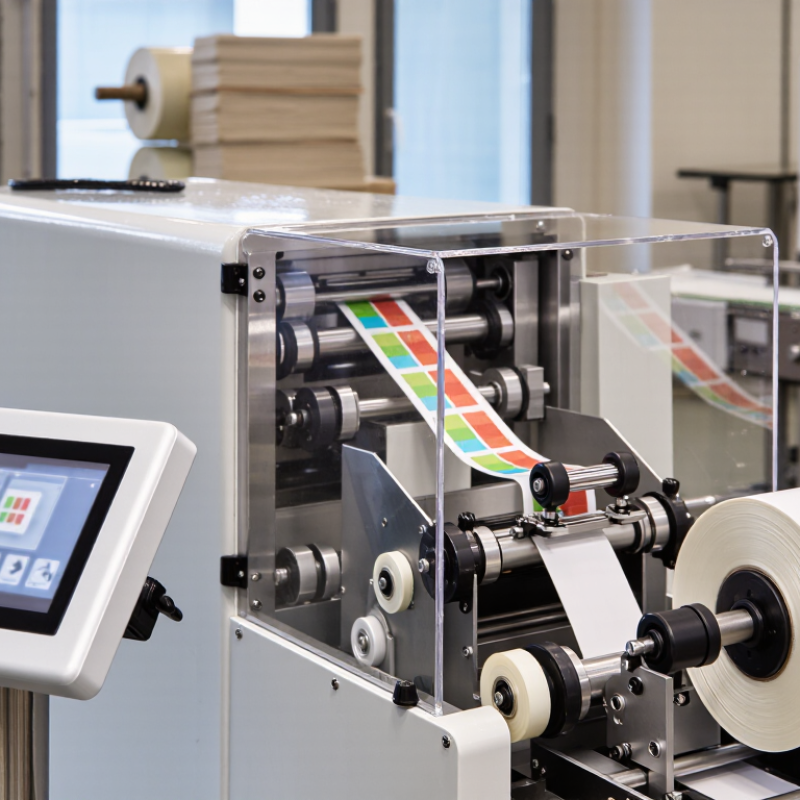
A label printing machine transfers text, graphics, and barcodes onto rolls or sheets. Its performance depends on several coordinated components. The unwinder releases label stock at a controlled tension. A tension sensor prevents wrinkles, although poor adjustment can still cause drifting. The web guide keeps material aligned before printing.
The print engine applies ink or toner through flexographic, digital, or thermal technology. Digital systems suit short runs and variable data, while flexographic units often support higher-volume production. A 2024 Smithers report, The Future of Labels and Labeling to 2028, estimates the global label market will grow from about $41.2 billion in 2023 to nearly $49.9 billion by 2028. This growth increases pressure for accurate, flexible equipment.
The drying or curing unit sets the printed image. It may use hot air, infrared energy, or ultraviolet curing. The inspection camera checks registration, missing text, and barcode quality. Its data can trigger automatic rejection, but inspection is not infallible. Operators should still verify samples manually. The rewinder then forms a finished roll with consistent tension. A control system connects every stage, records settings, and supports repeatable production. FINAT’s 2024 Radar report also describes softer European label demand, reminding buyers that machine capacity should match real orders, not optimistic forecasts.
A label printing machine converts digital artwork into readable, adhesive labels. Its operation begins with a roll of paper, film, or synthetic stock. The machine unwinds the material and guides it through controlled rollers. Sensors correct alignment before printing begins.
In digital inkjet systems, printheads place tiny ink droplets across the moving surface. Electrophotographic systems use charged particles to build each image. Heat, ultraviolet energy, or air then fixes the print. A finishing unit may laminate, cut, slit, or rewind the labels. These stages must stay synchronized. Even a small tension error can create blurred edges or uneven gaps. Grand View Research reported that the global printed label market was valued at approximately 46.28 billion US dollars in 2023. Smithers also identifies digital production as an expanding area for short runs and variable data. The machinery is becoming more flexible, but not automatically simpler.
Tips: Match the substrate with the ink system before production. Check printhead temperature, web tension, and registration during the first few meters. Operators should inspect barcode contrast with calibrated equipment, not only by eye. A clean roller matters. In practice, one successful setup may fail after humidity changes. That is where experience matters. Keep a test label from every approved run, and record the settings used. Mistakes are useful only when they are documented and questioned.
What Is a Label Printing Machine?
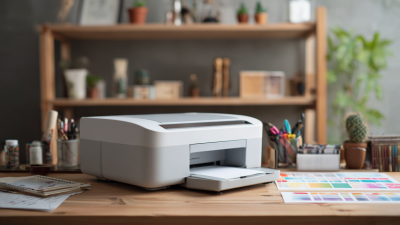
A label printing machine creates text, barcodes, symbols, and images on adhesive materials. In practice, the right machine depends on label volume, surface, durability, and required detail. A small desktop printer suits offices, laboratories, and shops with moderate daily orders. It usually handles narrow rolls and fits beside a computer. Its lower purchase cost is helpful, but slower output may frustrate busy teams.
Common Types of Label Printing Machines
Direct thermal printers use heat-sensitive label stock. They need no ink ribbon, making operation simple and reducing supply changes. However, sunlight, heat, or friction can darken these labels over time. Thermal transfer printers use a heated ribbon to transfer ink onto the label. They produce sharper, longer-lasting marks for containers, equipment, and outdoor storage. The ribbon adds cost and setup time. Still, durability often matters more than speed.
Industrial thermal printers support continuous production and larger rolls. Their metal frames and stronger motors suit warehouses and manufacturing areas. Inkjet label printers create vivid colors and detailed graphics, especially on coated materials. They require careful nozzle maintenance and compatible inks. Laser printers offer crisp text and flexible sheet printing, but they may waste material during short custom runs. There is no perfect choice. My early assumption was that faster printing always meant better performance. Testing showed that alignment, adhesive quality, and readable barcodes often matter more. Teams should compare sample labels, operating noise, maintenance needs, and actual weekly volume before purchasing.
| Machine Type | Printing Method | Typical Production Speed | Suitable Label Materials | Color Capability | Durability Characteristics | Best Use Cases | Main Advantages | Key Limitations |
|---|---|---|---|---|---|---|---|---|
| Direct Thermal Printer | Heat is applied directly to heat-sensitive coated label stock; no ribbon is required. | Approximately 100–300 mm per second for common desktop and industrial models. | Direct thermal paper and synthetic materials designed for direct thermal printing. | Usually monochrome; some specialized systems support limited color effects. | Moderate to low. Printed images may darken or fade when exposed to heat, sunlight, or prolonged storage. | Shipping labels, receipts, temporary product labels, tickets, and short-term logistics identification. | Simple operation, low consumable cost, quiet printing, and no ink or ribbon to replace. | Not ideal for long-term outdoor use, high temperatures, or applications requiring highly durable graphics. |
| Thermal Transfer Printer | A heated printhead transfers ink from a ribbon onto the label surface. | Approximately 100–300 mm per second, depending on print resolution and model. | Paper, coated paper, polyester, polypropylene, polyethylene, and other compatible synthetic stocks. | Monochrome is common; some industrial systems support multiple ribbon colors. | High when suitable ribbons and synthetic materials are selected; good resistance to abrasion, moisture, and chemicals. | Asset tags, industrial labels, pharmaceutical labels, durable product identification, and outdoor applications. | Produces long-lasting, sharp images and works with a wide range of label materials. | Requires ribbons, creates additional consumable waste, and needs correct ribbon-to-material matching. |
| Desktop Inkjet Label Printer | Liquid ink droplets are deposited onto the label surface through inkjet printheads. | Approximately 50–150 mm per second, depending on print quality and coverage. | Inkjet-coated paper, polypropylene, polyester, and other coated or treated label stocks. | Full color, commonly using cyan, magenta, yellow, and black ink channels. | Varies by ink and material. Pigment inks generally provide better water and light resistance than dye-based inks. | Short-run packaging, specialty foods, cosmetics, beverages, promotional labels, and variable-data printing. | Excellent color quality, fast design changes, and no printing plates are required. | Ink and coated media can be relatively expensive; uncoated materials may absorb ink and reduce image quality. |
| Industrial Inkjet Label Printer | High-speed piezoelectric or thermal inkjet systems apply ink continuously or on demand. | Approximately 30–75 meters per minute for selected production systems. | Coated paper, film, synthetic stocks, and specialized substrates compatible with the ink system. | Full color, with configurations ranging from four-color to expanded color sets. | Good to high, depending on ink chemistry, curing method, and label material. | Medium- to long-run commercial label production, variable data, barcodes, and serialized labels. | High throughput, digital workflow, and the ability to change artwork without changing plates. | Higher equipment and maintenance costs; print quality depends strongly on ink, substrate, and drying conditions. |
| Digital Electrophotographic Printer | Dry toner or liquid toner is electrically transferred and fused to the label material. | Approximately 9–60 meters per minute, depending on configuration and print mode. | Coated paper, synthetic films, pressure-sensitive stocks, and digitally printable specialty materials. | Full color, typically using cyan, magenta, yellow, and black; some systems add specialty colors. | Good to high. Fused toner generally provides strong resistance to smudging and handling. | Short- and medium-run commercial labels, premium packaging, variable graphics, and personalized labels. | Consistent color, sharp text, fast job changes, and strong variable-data capabilities. | Media compatibility can be more restricted than with flexographic printing, and operating costs may rise for high coverage. |
| Flexographic Label Press | Flexible relief plates transfer fast-drying ink to the substrate through an anilox and impression system. | Approximately 60–300 meters per minute, depending on press design and job specifications. | Paper, film, foil, pressure-sensitive stocks, and many flexible packaging materials. | One or more colors; multi-color presses commonly support process and spot-color printing. | High, with ink and varnish selections tailored to the application. | Large-volume labels, food and beverage packaging, household products, and retail packaging. | Very productive for long runs, supports many substrates, and offers efficient repeat printing. | Plate production and setup increase preparation time and cost; less economical for frequently changing short runs. |
| Offset Label Press | Ink is transferred from a plate to a rubber blanket and then to the label substrate. | Approximately 80–200 meters per minute for web-fed systems; sheet-fed speeds vary by equipment. | Primarily paper and selected coated stocks; some systems support specialized label materials. | High-quality multi-color process and spot-color printing. | Good, especially when protective coatings or laminates are added. | High-quality paper labels, premium packaging, and detailed artwork requiring smooth tonal reproduction. | Excellent image detail, consistent color reproduction, and smooth gradients. | Requires plates and setup; generally less flexible for variable data and short, frequently changing jobs. |
| Screen Printing Label Press | Ink is forced through a fine mesh stencil onto the label surface. | Typically slower than flexographic and digital systems; speed depends on the press and curing process. | Paper, films, textiles, plastics, glass, metal foils, and other compatible surfaces. | Usually spot colors; specialty opaque, metallic, and raised effects are possible. | Very high when suitable inks are cured correctly; thick ink deposits can provide strong coverage. | Premium labels, industrial markings, specialty effects, textured graphics, and high-opacity white printing. | Produces bold color density, durable ink layers, and distinctive tactile or decorative effects. | Lower productivity, longer drying or curing requirements, and higher setup effort for multiple colors. |
| Laser Die-Cutting and Finishing System | A focused laser cuts label shapes, perforations, or intricate designs without a physical cutting die. | Production speed varies widely according to material thickness, cut complexity, and web width. | Paper, adhesive films, synthetic label stocks, and laminated materials suitable for laser processing. | Laser cutting is usually paired with digital or conventional color printing. | Depends primarily on the printed ink, substrate, and protective finishing. | Short-run labels, prototypes, variable shapes, versioned packaging, and complex contour cutting. | No physical die is required, enabling quick changeovers and economical production of varied shapes. | Cutting speed may decrease for dense or intricate designs; heat can affect some sensitive materials. |

A label printing machine produces text, barcodes, symbols, and images on adhesive materials. In daily operations, it supports product packaging, warehouse tracking, shipping identification, and asset management. A clear label can prevent picking errors and speed up routine checks.
Selection depends on the label’s purpose. Thermal transfer printing suits labels that need long-term durability, such as equipment tags and outdoor containers. Direct thermal printing is convenient for receipts, temporary shipping labels, and short-term records. Consider print volume, label width, resolution, media type, and connection options before purchasing. A busy warehouse may need fast output, while a small workshop may value simple setup more. Compatibility with existing software also matters.
Tips: Test real materials before making a decision. Print small text, dense barcodes, and light graphics. Check whether the labels remain readable after rubbing, moisture, or temperature changes. Ask operators to use the machine, not only managers. Their feedback often reveals problems with loading, alignment, or daily cleaning. Keep spare rollers and approved media available.
I have seen a machine perform well during testing but struggle during continuous production. That result is not unusual. Maintenance access, operator training, and service documentation deserve equal attention. A slightly slower model may be more reliable if it reduces jams and wasted labels. Specifications help, but workplace evidence should guide the final choice.